
The error message "OCR_NO_RESULT" suggests that the Optical Character Recognition (OCR) process did not produce any recognizable text or results. This issue could be due to various reasons, and resolving it may involve troubleshooting and adjusting your OCR process. Here are some steps you can take to address the "OCR_NO_RESULT" error:
1. Ensure that the quality of the image is sufficient for OCR. Poor resolution, low contrast, or excessive noise in the image can hinder OCR performance. You can try using a higher-resolution image with clear and well-defined text.
2. Make sure the requirement of OCR NPWP was passed
- max image size should be less than 2M, and image dimension should be between 256 * 256 and 4096 * 4096
- image format should be one of jpeg/jpg/png, and the request content type should be image/jpeg or image/png
this is an example image not passing the requirement
selfie picture
upload 2 sides NPWP card on 1 page
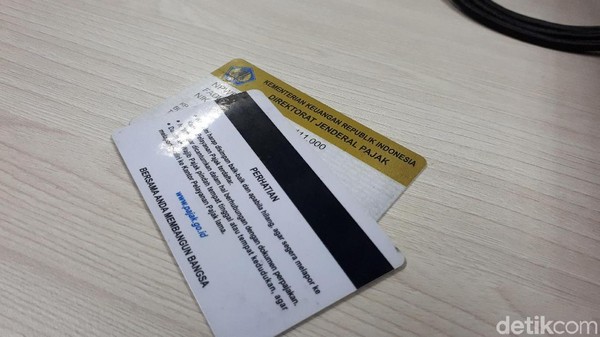
3. Please ensure that you have uploaded the correct NPWP card, providing a clear image for accurate verification.
Comments
0 comments